
Getting Started with Telegram Customer Support
Connect your Telegram bot to Vela and set up an automated customer support agent in minutes.
You can automate your Telegram customer support by connecting a custom bot to Vela. Once connected, your AI agent will instantly answer direct messages and group mentions based on your trained knowledge base.
Follow these steps to set up and connect your Telegram bot:
-
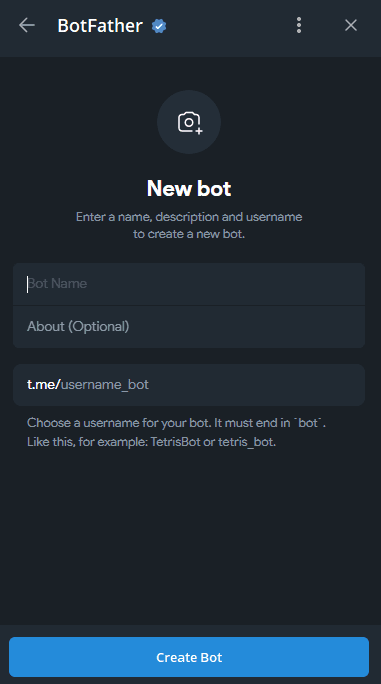
Create a Telegram Bot: Open Telegram and search for @BotFather. Follow the on-screen instructions to create a new bot and assign it a username.
-
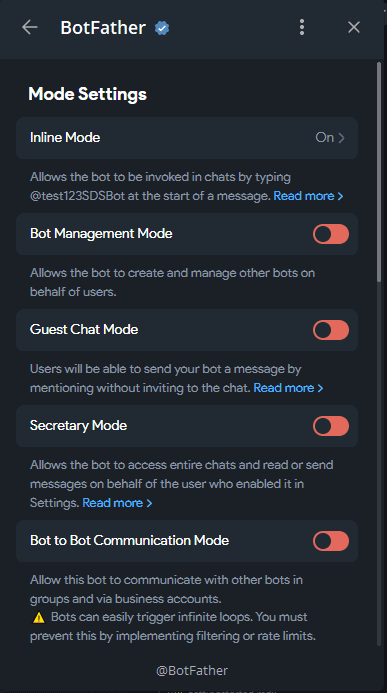
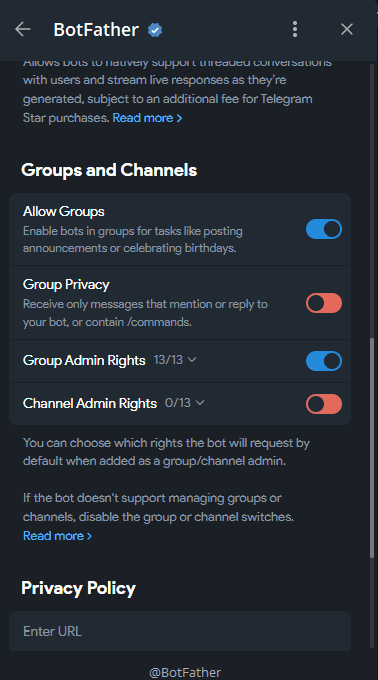
Configure Bot Settings: In BotFather's settings, enable Inline Mode. Then, navigate to the group and channel settings to disable Group Privacy (this allows the bot to fetch messages for future training) and grant the bot group admin rights.
-
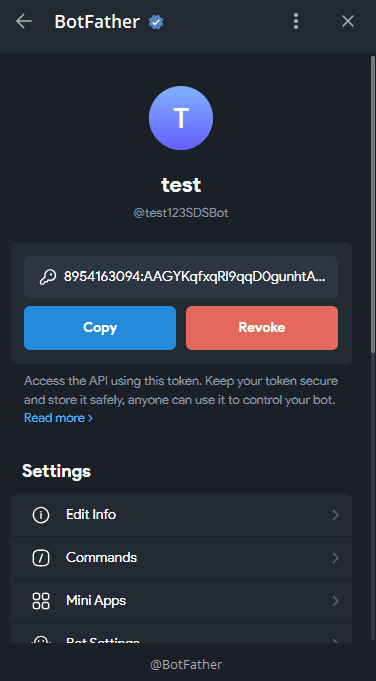
Copy the API Token: BotFather will provide a unique API token for your new bot. Copy this token securely.
-
Connect to Vela: Open your Vela dashboard, navigate to the Telegram integration settings, and paste your API token. Click Connect to link your bot.
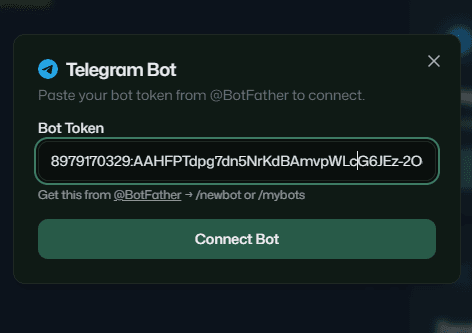
-
Customize the Welcome Message: Once connected, configure the initial welcome message users see when they click "Start". You can use the
{firstName}variable to automatically personalize the greeting.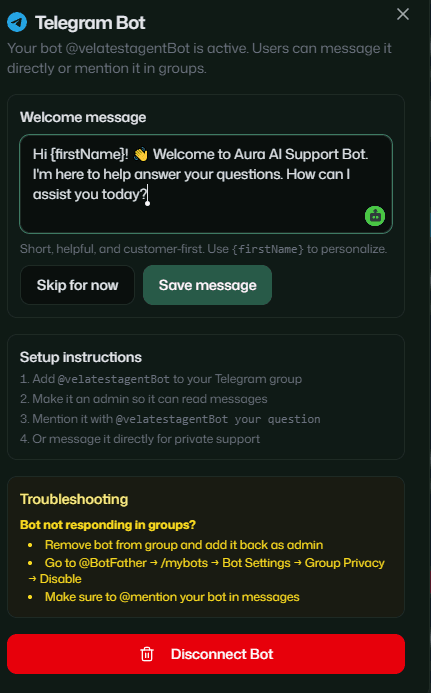
-
Add the Bot to Your Group: Invite your newly created bot to your Telegram community group. Promote it to an Admin and assign it a designated member tag for visibility.
Your Telegram AI support agent is now fully active. It will automatically monitor group mentions and direct messages, providing instant, grounded answers based on your training data.
Next Step
Ready to train your agent using your past chat history? Learn how to import your Telegram conversation history
vela Web Widget setup guide
Add vela's support widget to any website. Configure appearance, content, and embed options from the dashboard.
Train Your AI Agent on Telegram History
Export your past Telegram chat logs and train your Vela AI support agent to resolve tickets using historical conversation data.