
Overview
Learn how to create a Vela account, set up your first AI support agent, train it on your data, and connect it to channels like Slack and Telegram.
Create a Vela account and organization at /auth/signup and follow the onboarding flow.
Creating an Agent
Agents in Vela respond to customer inquiries across Zendesk, web widget, Telegram, Discord, Slack, and more. To create an agent:
- Click the Agents tab in the sidebar and click New Agent.
- Give your agent a name, a persona, and select the channels to enable based on your plan.
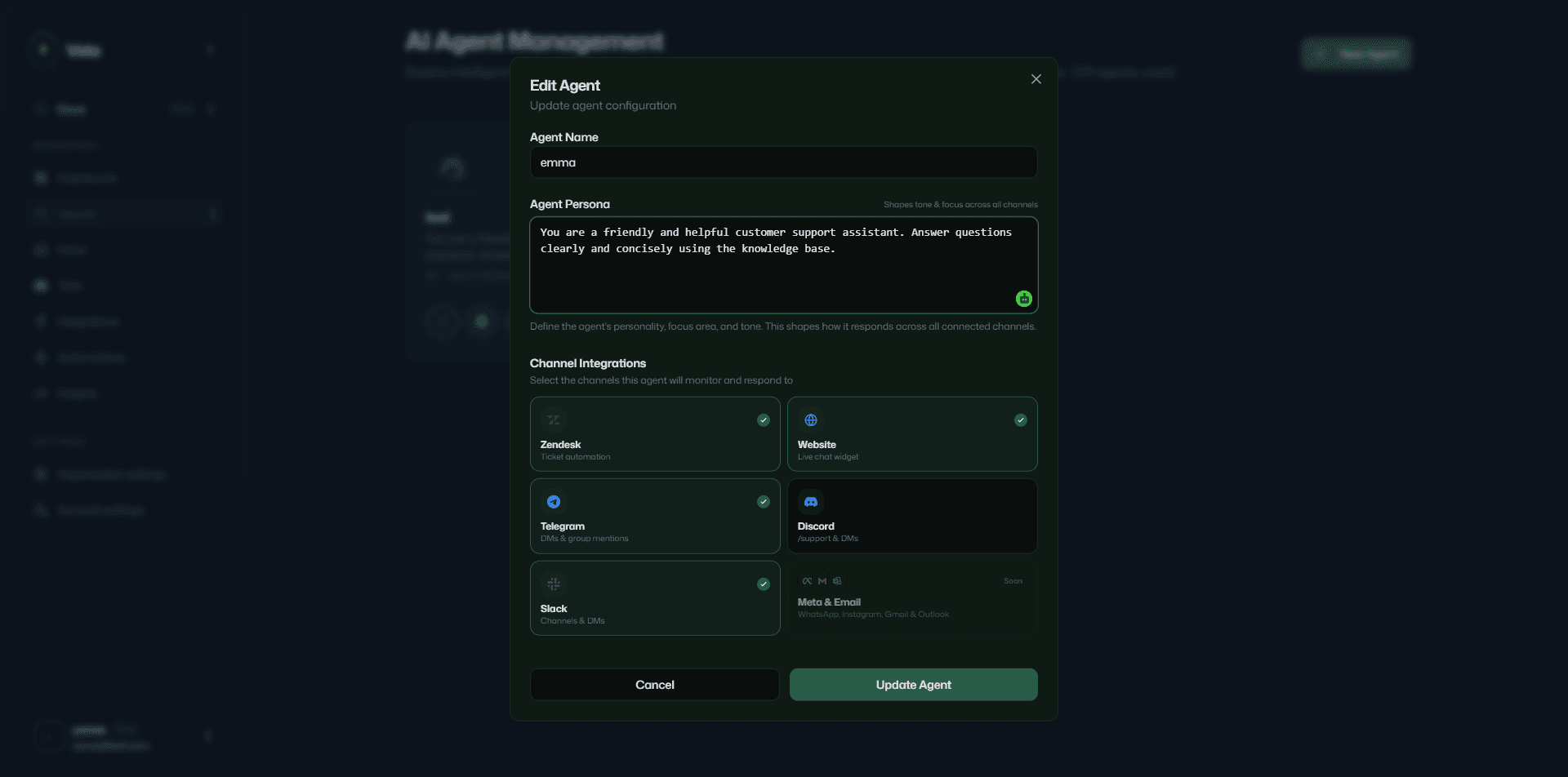
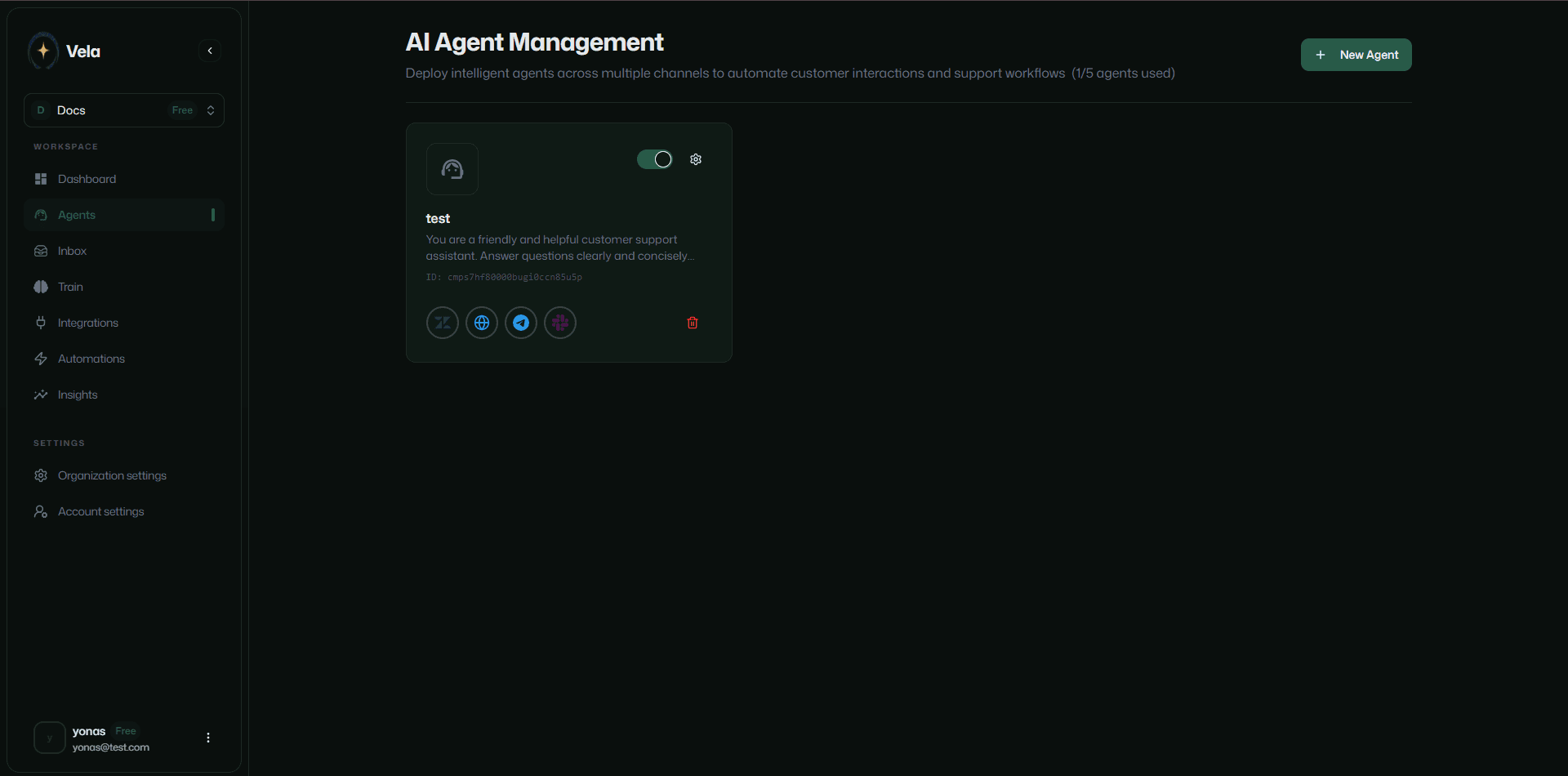
- Your agent is now ready for training. From the same page you can enable, disable, edit, and delete your agent.
Training Your Agent
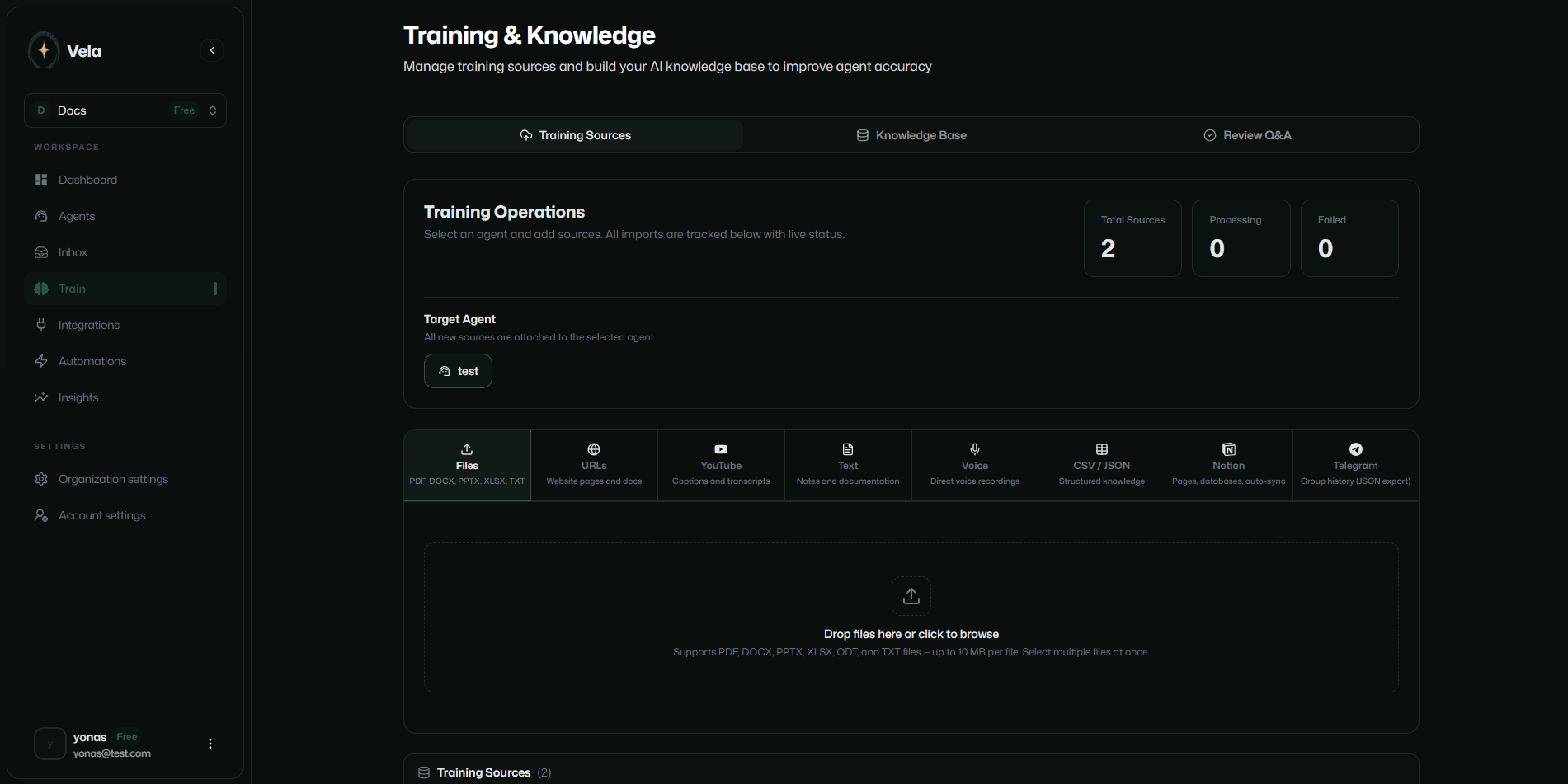
Vela agents receive information from various sources to deliver on-brand answers for customer inquiries. Based on your plan, different training options are available.
Click the Train menu item in the sidebar to get started.
Files
Vela agents can learn from uploaded files. Supported formats: PDF, DOCX, PPTX, XLSX, ODT, and TXT. Files up to 10 MB each. Upload multiple files at once.
URLs
Vela agents can learn from URLs you provide, such as web pages, articles, and blogs.
YouTube
Vela agents can learn from YouTube videos from your channel, such as walkthrough videos.
Text
Vela agents can learn from text files you upload, such as FAQs or product manuals.
Voice Recording
A website is not required to get started with Vela. If you don't have a website, train your agents with a voice recording describing your brand and customer needs.
CSV / JSON
Vela agents can learn from CSV or JSON files you upload, such as product data, customer feedback, or past tickets.
Notion Pages
Vela agents can learn from Notion pages you provide. Update the Notion page and the agent knowledge base updates without manual re-import.
Telegram conversations
Vela agents can learn from Telegram conversations in your group. See the Integrations section for setup instructions.
Discord conversations
Vela agents can learn from past Discord conversations in your server. See the Discord setup for instructions.
Agent Knowledge Base
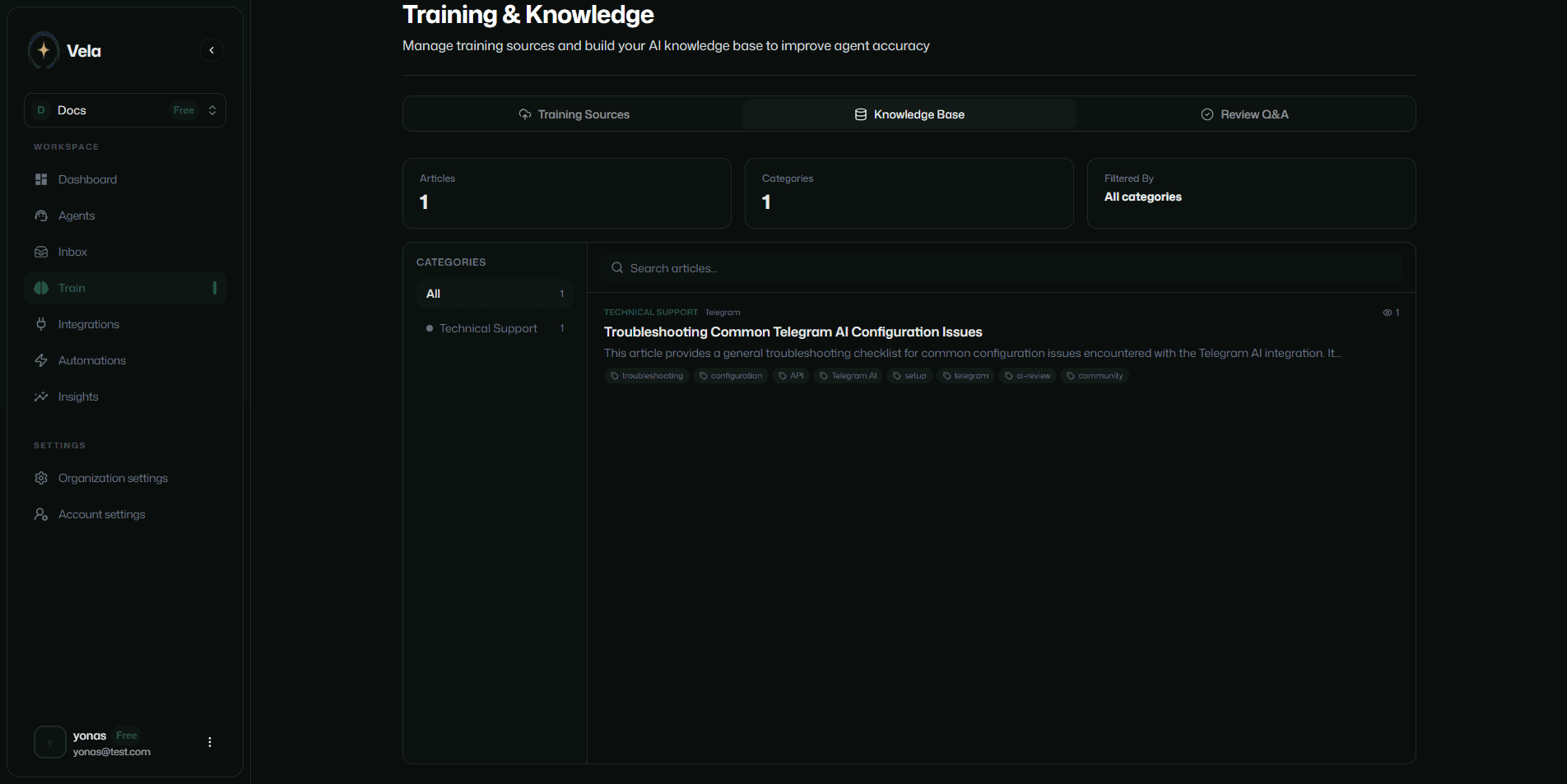
Every training resource creates a knowledge base for human agents to read and respond to customer inquiries when Vela hands the question to a human agent.
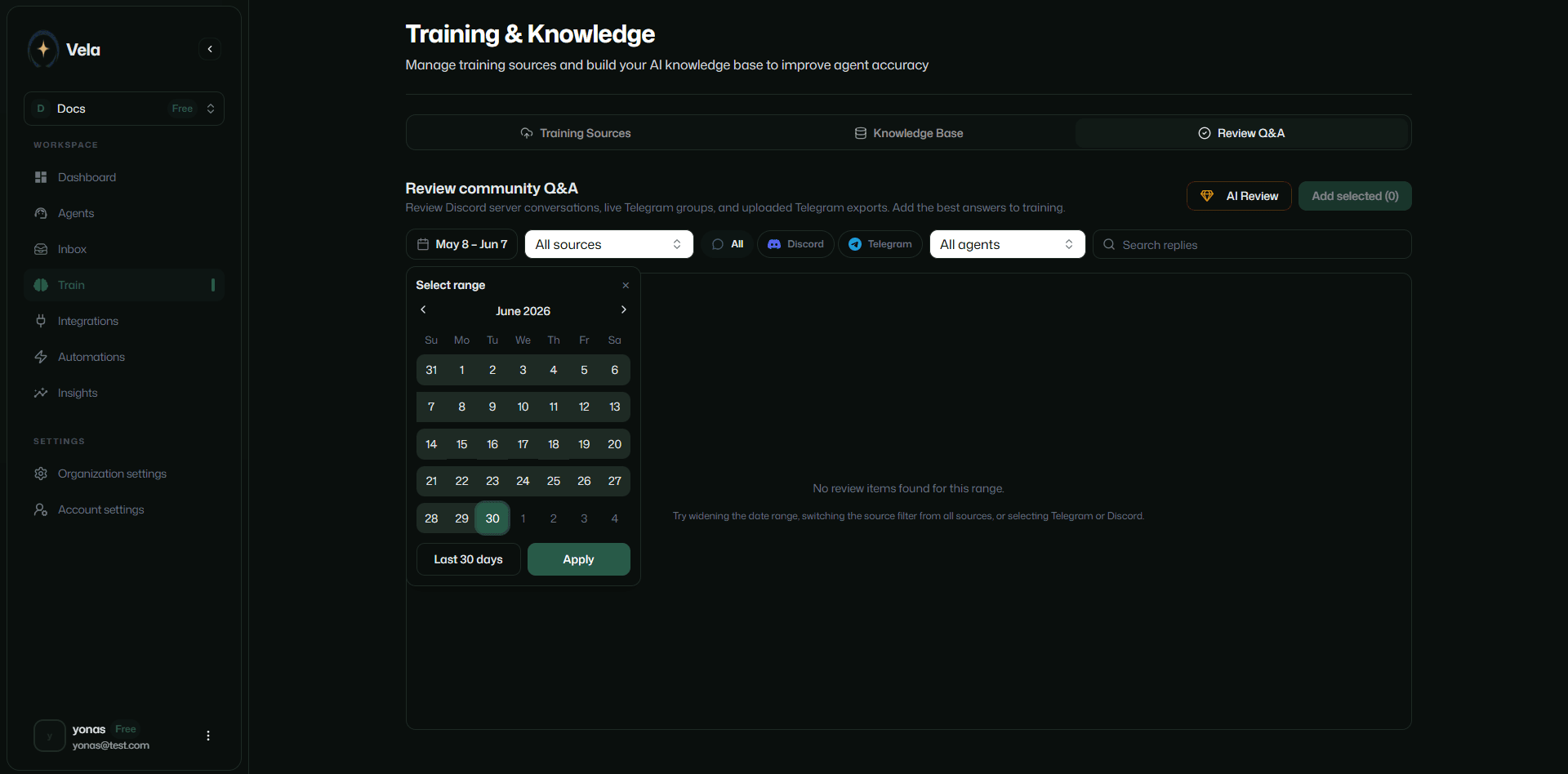
Community Review
From the Train page you can view community discussions happening in your Telegram groups and Discord servers. Add questions and replies to your agent knowledge base for further training.
Inbox
Click the Inbox menu item in the sidebar to see the omnichannel inbox.
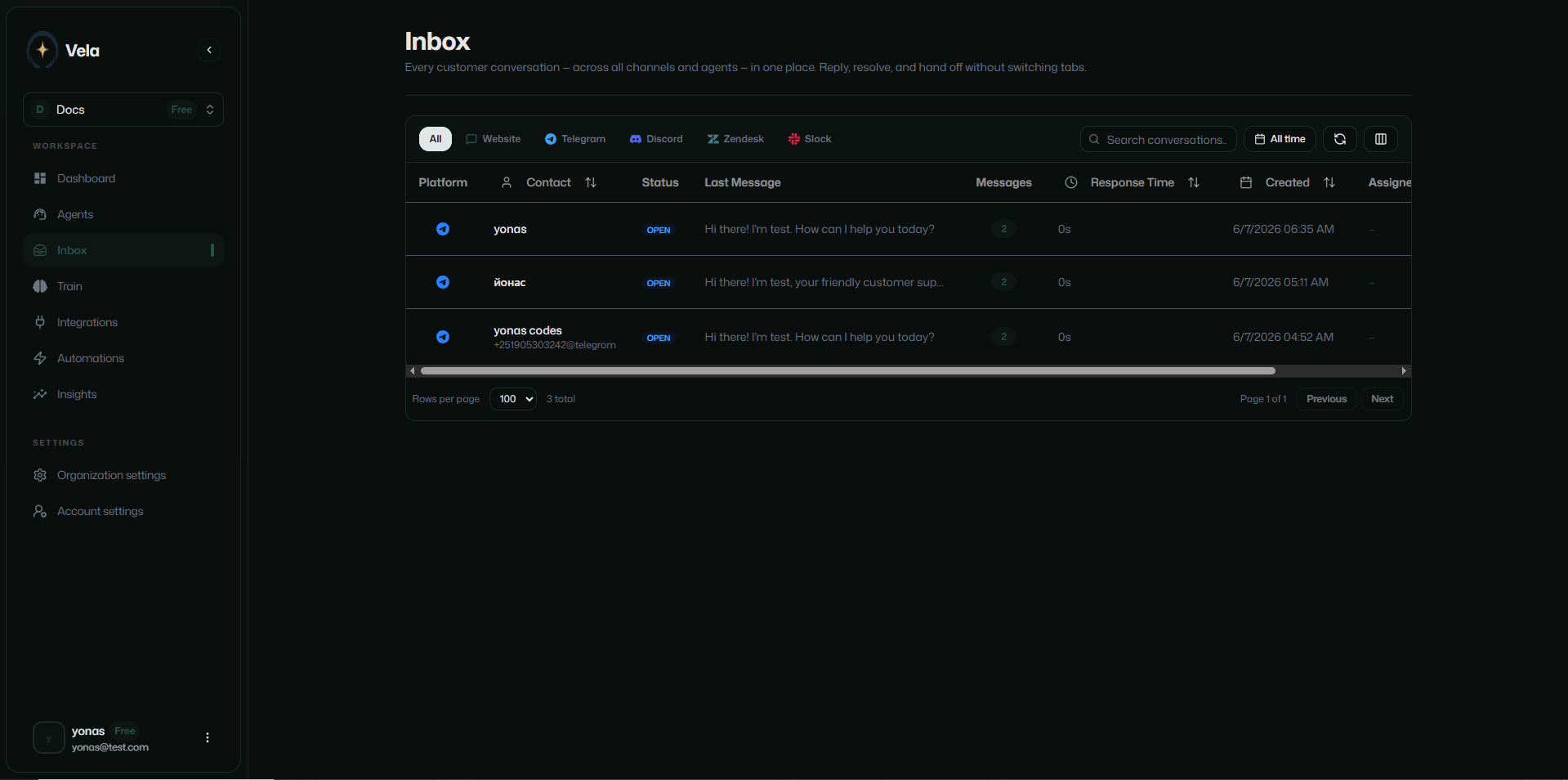
The inbox shows all incoming messages from customers across all channels (Zendesk, Telegram, Discord, Slack, and more) in one place. No switching tabs. No leaving the Vela platform.
Reply to messages, assign team members, track conversations, and mark them as resolved.
Automations
From the Automations tab in the sidebar, enable and disable automated workflows that trigger based on incoming messages.
Insights
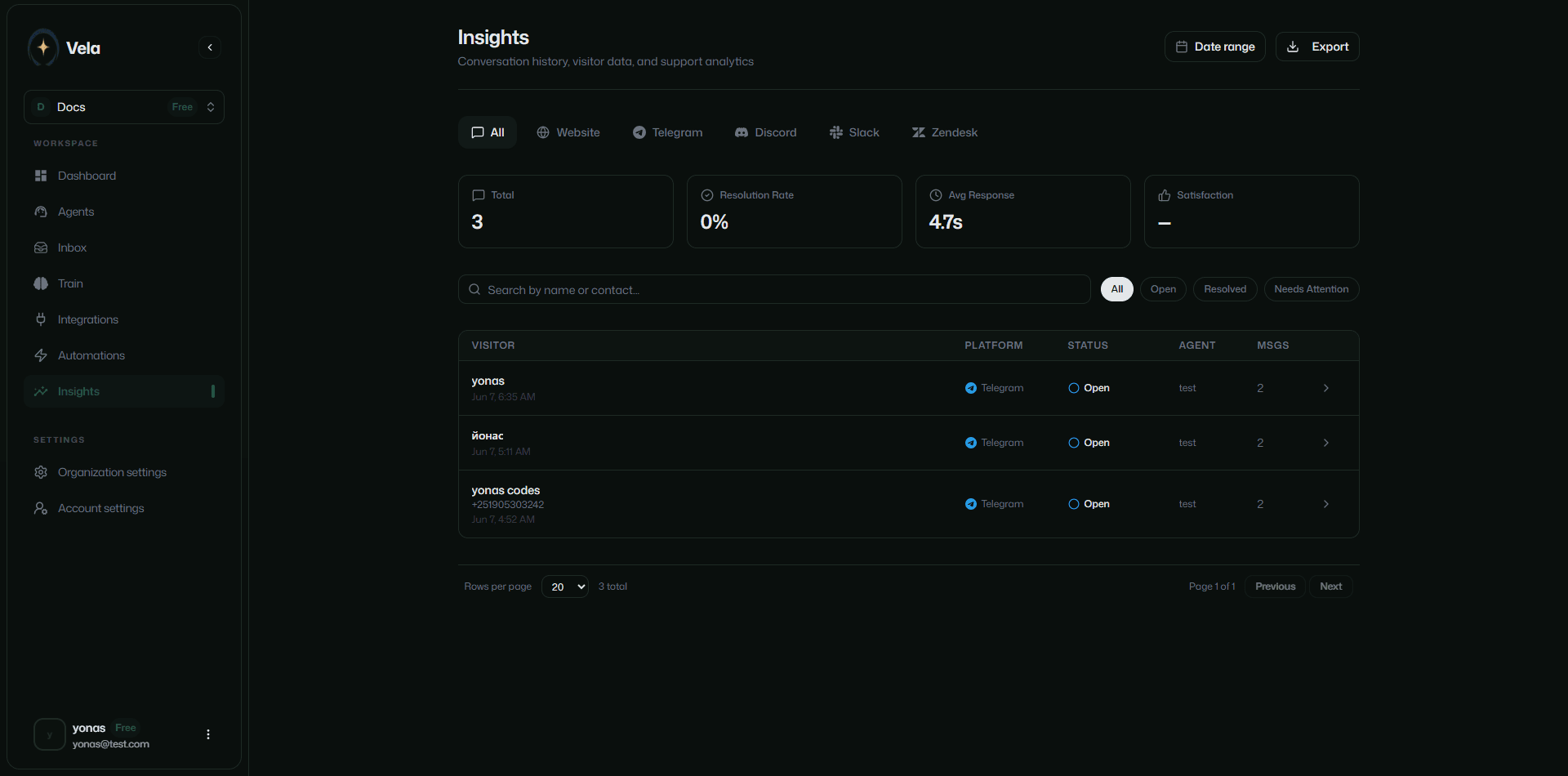
From the Insights tab in the sidebar, view and export conversation history, visitor data, and other metrics across all channels.
Integrations
Vela agents integrate with third-party services such as Zendesk, Discord, Telegram, and more. See the Integrations section for setup instructions.